The NDSP Nano Cortex…

So, insane as it seems with all the discussions in the other NDSP threads, I’ve started seriously looking at the Nano Cortex as a potential device for me. I recently acquired a Tonex One to swiftly turn around and sell it along with my HX Stomp. I was planning on getting an AM4 but the price is ridiculous in EU. So I’m fine with a pared down device.

I have some questions though. Firstly, for those that has had the device for a while, what are the main gripes and pain points? Are there any effects types that suck?
Owner here.

Cons:

- No global volume feature. You need to use an effect slot having level parameter that could be controlled by expression pedal (through exp or CC1 midi). That isn´t really "global", since you can have different presets with different effects and CC1/exp assignations.

- Obviously: no display. If you need some current preset indication, you need to pair it with a phone or (better) use an external MIDI controller with display (I use a Luminite Graviton M1).

- Still lacking some MIDI functionality. You can switch presets and toggle effects, but can only use one CC message to control parameters. For me, if it only had another CC for controlling parameters (to use 2 expression pedals) it would be more than enough.

- If you use both outputs (L and R) simultaneously, you can´t have them summed (to have the exact same signal on both, no matter if stereo effects are present) unless one of them has IR bypassed. This means that, if stereo effects are used and you want IR active on both outputs (because you want to use your own stage FRFR while sending to FOH another identical signal) you would lose the stereo imaging. You´d only hear the left signal through the L output, and the right signal through the R output. Yeah, you can easily solve it using an external DI box with link port, so not a big problem. Stereo imaging is summed to mono if only one output is used or, if both are used, being one of them with IR bypassed.

- No gapless switching. Not a big deal for me, can perfectly live with it since I don´t notice too much gap, but other users are very annoyed by this. I suspect most of that is because built-in switches work on release, and that makes some delay feeling. I use a MIDI controller, so I don´t quite notice a deal-breaker gap.

- No PC editor. I don´t need it and wouldn´t use it anyway… but many find it´s important.

- Obviously, if you need complex chains, you´ll be on the limit. You know, 2 pre effects, capture, IR, 3 post effects… plus some utility effects which don´t use slot (gate, transpose). For my use case, I´ve not found anything I couldn´t do so far.

- No weird effects. There are the basics, and I feel them quite good. I like them better than Helix LT ones, for instance.

- Not an infinite variety of models in each effect category (a few ODs, few choruses, few compressors, etc). If you need some particular effect, chances are that it´s not there. Not a problem for me so far.

- Semi fixed signal chain. Not all effects can go in a pre slot, others can´t in post.

I think there´s not much more cons for me.

On the other hand, I love it because:
  • Sounds and feels stellar.
  • It can capture in device, so no input gain guessing. Almost any capture you load in it will sound good. Let alone if it´s from a good source (Amalgam and the likes)… in such that case, it´s almost impossible to go wrong.
  • Over the top build quality. It has the most “premium” feeling out of any modeler I had or tried.
  • Captures are made in a couple minutes (V1). Regarding V2 capturing, it´ll be available in the next firmware update (according to NDSP). It can already play V2 captures, though.
  • Great form factor.
  • Relatively low consumption. I power it up with my pedalboard PSU.
  • Great updates pace.
  • Switches, even being just 2, are wide spaced so they are actually quite useable live.
  • I got mine for 480€.
 
Owner here.

Cons:

- No global volume feature. You need to use an effect slot having level parameter that could be controlled by expression pedal (through exp or CC1 midi). That isn´t really "global", since you can have different presets with different effects and CC1/exp assignations.

- Obviously: no display. If you need some current preset indication, you need to pair it with a phone or (better) use an external MIDI controller with display (I use a Luminite Graviton M1).

I basically fully agree with everything you wrote. However, was just a little confused about these two points. You mean per preset there isn't a global volume, right?

My closest work around has been to just tweak the capture level, as for the most part it can functionally act as an overall volume control. As for true global volume, yes it does have one. The level control is exactly this, raises and lowers the entire device volume globally, so that all presets are raised and lowered by the same amount.

As for the second bullet, no there is no LCD display giving you preset names or anything, but I only use 4 presets on gigs anyways, and the unit makes it pretty easy to tell which of those 4 you are on. Its either the left or right switch, and from there its either the yellow or purple preset.

Here's a unique "hack" people might not know. If you have an expression pedal, you can use it as a footswitch to toggle on or off various effects in a preset. In this way, you can sort of have 8 presets.

I have a dotted 8th delay on my clean we use for one song specifically, and I can easily toggle it on with my exp pedal.

Anyways, yeah its not a perfect device, my biggest issue has been that it will disconnect from my phone after awhile, then I can't get it to connect again until I power cycle the device. I suspect it could be my phone causing the issue though.

But on the positives, I agree with everything Sedaxel said. I've tried a bunch of capture devices, Tonex, Kemper, etc, and somehow the Nano was the quickest and easiest to get great feeling tones with. Even the stock captures and cabs are very good. Feels very natural to play through as well.
 
Owner here.

Cons:

- No global volume feature. You need to use an effect slot having level parameter that could be controlled by expression pedal (through exp or CC1 midi). That isn´t really "global", since you can have different presets with different effects and CC1/exp assignations.

- Obviously: no display. If you need some current preset indication, you need to pair it with a phone or (better) use an external MIDI controller with display (I use a Luminite Graviton M1).

- Still lacking some MIDI functionality. You can switch presets and toggle effects, but can only use one CC message to control parameters. For me, if it only had another CC for controlling parameters (to use 2 expression pedals) it would be more than enough.

- If you use both outputs (L and R) simultaneously, you can´t have them summed (to have the exact same signal on both, no matter if stereo effects are present) unless one of them has IR bypassed. This means that, if stereo effects are used and you want IR active on both outputs (because you want to use your own stage FRFR while sending to FOH another identical signal) you would lose the stereo imaging. You´d only hear the left signal through the L output, and the right signal through the R output. Yeah, you can easily solve it using an external DI box with link port, so not a big problem. Stereo imaging is summed to mono if only one output is used or, if both are used, being one of them with IR bypassed.

- No gapless switching. Not a big deal for me, can perfectly live with it since I don´t notice too much gap, but other users are very annoyed by this. I suspect most of that is because built-in switches work on release, and that makes some delay feeling. I use a MIDI controller, so I don´t quite notice a deal-breaker gap.

- No PC editor. I don´t need it and wouldn´t use it anyway… but many find it´s important.

- Obviously, if you need complex chains, you´ll be on the limit. You know, 2 pre effects, capture, IR, 3 post effects… plus some utility effects which don´t use slot (gate, transpose). For my use case, I´ve not found anything I couldn´t do so far.

- No weird effects. There are the basics, and I feel them quite good. I like them better than Helix LT ones, for instance.

- Not an infinite variety of models in each effect category (a few ODs, few choruses, few compressors, etc). If you need some particular effect, chances are that it´s not there. Not a problem for me so far.

- Semi fixed signal chain. Not all effects can go in a pre slot, others can´t in post.

I think there´s not much more cons for me.

On the other hand, I love it because:
  • Sounds and feels stellar.
  • It can capture in device, so no input gain guessing. Almost any capture you load in it will sound good. Let alone if it´s from a good source (Amalgam and the likes)… in such that case, it´s almost impossible to go wrong.
  • Over the top build quality. It has the most “premium” feeling out of any modeler I had or tried.
  • Captures are made in a couple minutes (V1). Regarding V2 capturing, it´ll be available in the next firmware update (according to NDSP). It can already play V2 captures, though.
  • Great form factor.
  • Relatively low consumption. I power it up with my pedalboard PSU.
  • Great updates pace.
  • Switches, even being just 2, are wide spaced so they are actually quite useable live.
  • I got mine for 480€.
Thanks, really good info! Does anyone know if it's easy to adjust audio volume from USB (for example connecting a phone via USB for backing tracks) on the device?

I can get one for approx 550 euro where I'm at, which is about half of what an AM4 would cost me. A QC Mini would be 2.5 times more expensive at least and I just want a device for headphone playing, occasionally with a capture of my power amp and with some post-FX. Having spent more time with MainStage and Logic Pro after dumping my Stomp and Tonex One, I don't see a need for a big ass modeler that can do everything just for home playing.

Edit: I also have an expression pedal and a Boss MIDI footswitch (FS-WL-1 or whatever they call it) that I can program to work with it. Does that mean that preset changes have a lesser gap when MIDI controlled?
 
Last edited:
Thanks, really good info! Does anyone know if it's easy to adjust audio volume from USB (for example connecting a phone via USB for backing tracks) on the device?

I can get one for approx 550 euro where I'm at, which is about half of what an AM4 would cost me. A QC Mini would be 2.5 times more expensive at least and I just want a device for headphone playing, occasionally with a capture of my power amp and with some post-FX. Having spent more time with MainStage and Logic Pro after dumping my Stomp and Tonex One, I don't see a need for a big ass modeler that can do everything just for home playing.
The Nano has a dedicated headphone volume knob on the back (independent of the master volume). Usually if you want to play with backing tracks you can set the Nano at a comfortable level, then use your phone's volume to "mix" the backing track audio where it sounds good. That's how I've always done it. I haven't tried playing along to backing tracks on the Nano yet, but on other devices this is typically how its done.

I can try it out when I get home and let you know if I run into any issues.
 
The Nano has a dedicated headphone volume knob on the back (independent of the master volume). Usually if you want to play with backing tracks you can set the Nano at a comfortable level, then use your phone's volume to "mix" the audio where it sounds good. That's how I've always done it. I haven't tried playing along to backing tracks on the Nano yet, but on other devices this is typically how its done.

I can try it out when I get home and let you know if I run into any issues.
Thanks. I have iPhones, so might not be able to set volume on the phone. Idiotic thing #652344345654345 with Apple.

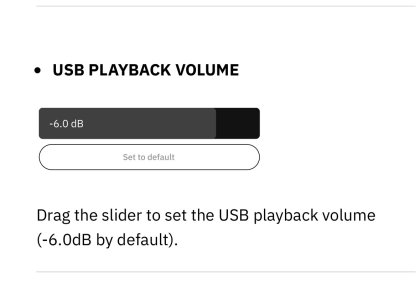
Update: I’m a dumbass, found it later in the manual so it’s possible.
 

Attachments

  • IMG_3689.jpeg
    IMG_3689.jpeg
    66.9 KB · Views: 24
Last edited:
Sorry for peppering with questions but I haven't found definitive answers: Is there a way to do captures of plugins over USB without having to use a separate audio interface?
 
I basically fully agree with everything you wrote. However, was just a little confused about these two points. You mean per preset there isn't a global volume, right?

My closest work around has been to just tweak the capture level, as for the most part it can functionally act as an overall volume control.
Yes, you can adjust capture level, but it´s per preset, not globally. And yes, using that instead of a slot effect level parameter should be perfectly fine I didn´t notice it... good tip, mate!
As for true global volume, yes it does have one. The level control is exactly this, raises and lowers the entire device volume globally, so that all presets are raised and lowered by the same amount.
Yes, you are right. I was refering to a global volume pedal function, just didn´t explain myself accurately.
As for the second bullet, no there is no LCD display giving you preset names or anything, but I only use 4 presets on gigs anyways, and the unit makes it pretty easy to tell which of those 4 you are on. Its either the left or right switch, and from there its either the yellow or purple preset.
Agree. For simple gigs, it´s useable and simple. Not perfect because when you, say, are in a "left preset" and want to go to one of the "right presets", you the right switch but if you don´t remember the preset it had the last time you were in said right siwtch, you don´t really know which preset you are going into... once pressed, if it´s not the preset you wanted to go, you need to press again... so, for important or complicated gigs, I prefer to avoid that switching.
Here's a unique "hack" people might not know. If you have an expression pedal, you can use it as a footswitch to toggle on or off various effects in a preset. In this way, you can sort of have 8 presets.
Good tip. I didn´t explore these kind of workarounds because I just prefer the simplicity of "one press, one preset", and getting it displayed in the Luminite. But for not too complex gigs, that solution looks good.
 
Sorry for peppering with questions but I haven't found definitive answers: Is there a way to do captures of plugins over USB without having to use a separate audio interface?
Never even considered that, so can´t tell you for sure. I´d say that you can´t capture anything that isn´t coming through the capture port... so I guess you need to DAC you plugins in order to send the analog signal in through the capture XLR/jack.
 
Sorry for peppering with questions but I haven't found definitive answers: Is there a way to do captures of plugins over USB without having to use a separate audio interface?
This is from the manual. It might actually work—let me see if I can capture one of my NDSP plugins. BRB!

Edit: I misread that table a bit. I do not think this is possible.

1769567018640.png
 
Last edited:
This is from the manual. It might actually work—let me see if I can capture one of my NDSP plugins. BRB!

Edit: I misread that table a bit. I do not think this is possible.

View attachment 58553
Yeah I guess you’d have to run cables to/from an interface. Not a gigantic deal but I’d wager there’s a fair amount of Nano owners who has a couple Archetypes they’d like to be able to take with them.

I do have an amp with a line out I can do some captures of so I’d just start there. Thanks for checking!
 
Last edited:
Edit: I also have an expression pedal and a Boss MIDI footswitch (FS-WL-1 or whatever they call it) that I can program to work with it. Does that mean that preset changes have a lesser gap when MIDI controlled?
Sorry, didn´t notice this edit in your post.

The switching gap is a little tricky for me because I don´t seem to care too much about it, so surely it´ll be better that any other mate tells his opinion.

Mine is that, maybe, the use of external footswitches would soften the gap because they work on press, instead of on release (like built-in switches do). On release could add-up some gap time just because the mechanical time it takes from the brain command of pressing the switch till the moment the foot releases the switch. But the "sound pause" should be the same, since the signal is not stopped during the proccess, but only when the mechanical command is activated. So... I couldn´t really tell what you´ll feel and how much would you care.
 
Sorry, didn´t notice this edit in your post.

The switching gap is a little tricky for me because I don´t seem to care too much about it, so surely it´ll be better that any other mate tells his opinion.

Mine is that, maybe, the use of external footswitches would soften the gap because they work on press, instead of on release (like built-in switches do). On release could add-up some gap time just because the mechanical time it takes from the brain command of pressing the switch till the moment the foot releases the switch. But the "sound pause" should be the same, since the signal is not stopped during the proccess, but only when the mechanical command is activated. So... I couldn´t really tell what you´ll feel and how much would you care.
Thanks for getting back about it! I don’t think I’ll be so disturbed about it. I’d imagine it’s similar (hopefully smaller) than the gap when switching presets in an Archetype plugin. At the same time time I’m not performing so it’s not a deal breaker for me.

Heavily leaning on getting a Nano and basically calling it quits. I really need to practice more and write some songs instead of gear chasing and tone tweaking.
 
I just realized I never got back to this thread, sorry about that. Here’s a VERY long review/reflection on the Nano Cortex. I wrote it up over several commutes and I’m a nerd. TLDR at the bottom.

I bought a Nano a couple of days after my previous questions got answered and I’ve had it around for more than a month now. Overall, I’m very satisfied, especially with the price to function-ratio.

Some backstory: I sold off a Tonex One and HX Stomp. Funds were going to be put towards an AM4. The TO/Stomp setup was cool but the high noise floor of the TO in the loop the Stomp, the cabling and complexity of setting everything up with a MIDI controller I lost interest after it was all done. I started running Tonex/NAM, HX Native and Archetype Nolly X in MainStage and basically didn’t feel the need for the hardware stuff anymore, just the BT MIDI pedal. I’ve also never really liked the HX amps (hence the TO) and I’ve found the HX reverbs to not really be my flavor either (as a few others around here). So, I wanted to replace it with a simpler all-in-one-box away from the computer, where the AM4 looked like the best choice.

While waiting for AM4 availability NAMM occurred and NDSP released the QC Mini. I started checking out their offering more closely since the Mini looked like a nice unit. I also got cold feet on the AM4 for a couple of reasons. Primarily because of the EU price of the AM4 and second because I feared getting into just another level (circle of hell?) of tone tweaking with it, with even less play/practice time as the results. Both these reasons also ruled out a QC Mini in my future. After some thinking and getting some questions answered by the fine folk here about the Nano, I settled on it since it looked like it would be enough for me and at basically half the cost of an AM4. This is not to say anything bad about the AM4 or QCM. It’s more that I can’t see myself investing that much money into a unit and it working as I wanted. An AM4 was also a little too big as floor space is extremely limited in my living situation.

I got a good retail price from a local shop on a Nano, so I picked one up. Initial setup was smooth. Connected instantly to the app and the process to update the firmware was fine. The app went into a weird state during the first firmware update, but second try was okay and the Nano wasn’t bricked or anything.

I was a bit wary of the whole procedure of getting IRs on the unit but so far, it’s been working great with uploading from a computer and getting them onto the unit as well.

I quite quickly cleared the factory presets since I thought they were not going to work when removing the factory captures from the capture banks (works anyway so that was unnecessary). Started trying out V2 captures from Cortex Cloud almost instantly, very smooth procedure with the app. Generally, I find that tweaking settings and getting new captures to try out is OK on the phone and I actually like that the screen doesn’t time out and go to sleep when using the app. I do think the BT connection timeout at boot is a bit too quick, and I quickly learned the way to get the Nano into BT connection mode as I need to do it constantly. Overall, I was still a bit sceptic about being app dependent, but I’ve been surprisingly fine with it. App is okay polished and serves its purposes.

The app does have some bugs though, for example when changing which IR to have in a bank slot. I get an empty page after the change and need to kill the app and reconnect to the Nano. Has happened I think three or four times now since I’ve been shooting new versions of IRs from plugins.

I’ve now also done three rounds of V1 captures of my ENGL Fireball 25 which has a line out connection. The capture process is pretty smooth and insanely fast on the unit, but I’d like to be able to carry over the descriptions from a previous capture when making a new one. It’s finicky to write things up on the phone and even Tonex does it now to an extent.

As an idiot I once again tried to capture my amp in half power mode, which means a built-in resistor load is engaged. It sounds like shit to my ears so my second batch of captures (first was just initial tests) is now deleted and I’ve done new ones produced just using my 1x12 V30 as speaker load. The V1 captures does lack some dynamics compared to NAM and Tonex V2 to me but are totally fine. Really enjoy the A/B testing option after a capture is done! Seems like the NDSP V1 captures ”hype” up the low end a bit to my ears.

Coming from Tonex with input levels all over the place it’s really nice to get some consistency in the captures. And if output volume is low, it’s also easy to fix since there is a capture level control per preset.

I’ve also captured some Nolly presets with amp, cab and EQ by plugging the Nano into the input and output of an audio interface. They are fine for practice and headphone use to me, and I might do some more in the future for private use.

When it comes to footswitching there are of course drawbacks as others have reported. It’s cumbersome to switch mapped presets, and the omission of an option to choose preset banks instead of capture banks on the left bank button/footswitch encoder is idiotic. Then there’s the gap when switching presets as well, but I can live with that.

It’s also very cumbersome to engage the Transpose effect for digital detuning. I like to have it on rhythm, lead and clean presets so I have to engage each preset, engage the FX slot and then save the preset three times every time I change tuning. Then do the same again when I don’t want the Transpose effect. Here a global enable/disable of the FX block would make a lot of sense. Just let me set it up in the presets that a global setting for FX1 overrides whatever I have there or something!

Another positive is that the settings in the app are thorough in general with USB audio levels, the option to change how the non-endless encoders work (change value directly or ”latch” when you turn and go beyond the currently set value). There’s been a lot of good thinking put into this thing in general and it could be even better with a few more pushes.

I’ve been enjoying the effects mostly. Drives are OK, mostly tried the 808 and it does its thing. I like the reverbs more than the Helix ones. Smart to have ”Mind Hall” as default reverb since it sounds great to me. Delays are okay and I’ve been enjoying the scaled down amount of options. Modulation is generally not my thing so can’t say much expect the chorus fx sounds chorusy and tremolo sounds wobbly.

I’m missing a super simple compressor so haven’t used those much. I should probably take the time to train myself to set up the included compressors better. Transpose effect is fast and OK for what I want from it, so I actually like it more than the Poly Capo on Helix hardware. Also, rad that there is a Doubler though I’m getting phase cancellation or something when using it sometimes.

In general, the workflow for tweaking effects is tedious, but it is also so by design. Still a lot more accessible than on a Tonex One for example. I’m still able to do editing away from a computer and that was an important factor for me. They should change the input press timer though on the dials as I accidentally long press them a lot when trying to fine tune a value which brings up a modal with number input for the dial that I then need to dismiss.

Another technical thing that’d be an awesome addition would be if the capture input could be used when connected to a computer. As I’ve understood it, only one input shows up over USB. It would be a nice gesture from NDSP if they enabled at least monitoring/recording unprocessed audio on that input.

Having a separate headphone volume dial is much appreciated. One issue though is that I have to basically dime it to use my Beyerdynamic DT770 250-ohm cans. Not a big issue as I don’t really like them for guitar but use them out of necessity a lot. My low ohm open headphones work great though with a lot of punch to the sound.

To be continued below…
 
Continued from above…

Having power over USB-C is so convenient. When creating captures, I’ve used a small power bank without issues. Together with the ground lift toggle I get way less noise than when I’ve done captures before (HX Stomp, have a guide for it written out on the forum for that as well). I usually power the Nano with a USB-A to 9V cable, but plan on getting a USB-C to 9V adapter in the future so I can keep using the USB-C input with my lightning connection iPhone for backing tracks etc. I’ve also managed to power the Nano from a single 500mA outputs on my Harley Benton PowerPlant ISO-5 Pro.

MIDI programming was quick to get working but I don’t like that I need to set up latching assignments with different # on my MIDI pedal to toggle FX slots on and off. A setting to have momentary toggle using the same CC # would have been welcome. Expression pedal assignments have their own screen in the app and I think it’s the most straightforward I’ve experienced. It’s the same regardless of if the expression pedal is connected directly with a TRS cable or via MIDI. Just mucking around a couple of minutes I managed to set up a preset that goes from a dry rhythm sound with the Doubler to a lead sound with more mids, extra gain, lower input gate, some delay and reverb. Doing this on a HX Stomp would require much more time to set everything up and then be a pain to customize. Of course, it’s not exactly the same as the Stomp has near endless possibilities but this is surprisingly customizable and a really nice extra on the Nano. Basically, a way to morph between two ”snapshots”, plus it’s gapless! I’ve now bought a Dunlop DVP4 Mini volume/exp pedal and basically always have it connected now.

Still on my to-do list is to check out is trying it as an audio interface with my computer. Haven’t gotten around to it yet but can report back if anyone is interested. Audio over USB works well and there is a volume setting so I can use it with iPhone.

All in all, very happy with the unit. Captures sound good and V1 is definitely useable for my needs. One favorite capture I made is goosing the mids for a crunchy tone that cleans up really well (substitute for a nice JCM800 capture as I’m still looking for one). Looking forward to making V2 captures if the possibility arrives of course but I’m not holding my breath for it with NDSP’s track record. I will mostly use the Nano with headphones and by itself, but it’s been holding up well in the fx loop and with a pedalboard in front.

TLDR: I like the unit. It’s not perfect but surprisingly versatile, customizable and at a good price point. Just know that it’s a stripped down and app dependent experience going in and you might enjoy it.
 
Back
Top